


How will I get quote jobs?
As an electrician working with HelloTech, you’ll receive job offers through one of two channels:
- HelloTech Field Service Technician App
- Direct Assignment from the HelloTech Fulfillment Team
Here’s a breakdown of how each system works so you know what to expect:
HelloTech Technician App

- You will receive a notification to check your HelloTech app
- Open the offer
- Assess customer information, location, and type of request.
- Assess customer availability.
- Select one of the customer’s preferred times that align with your availability to claim the job
- or, suggest alternatives using the standby function. If confirmed by the customer, you’ll be assigned the job at the new suggested time.
- Reach out to the customer to introduce yourself by letting them know you received an order from HelloTech.
Once the work order is in your HelloTech app, you will have access to the customer’s information Including
- Date and Time of the appointment (decided when the job was claimed/assigned)
- Contact information
- Address
- Additional information/notes
- Reach out to the customer to introduce yourself by letting them know you received an order from HelloTech.
Direct Assignment
Someone from HelloTech will contact you directly to offer you the job. If you are interested, the HelloTech agent will assign the job to your team via the HelloTech app.
The job will be assigned to you for the customer’s available time you confirmed when speaking to the HelloTech agent
Once the work order is in your HelloTech app, you will have access to the customer’s information Including
- Date and Time of the appointment (decided when the job was claimed/assigned)
- Contact information
- Address
- Additional information/notes
- Reach out to the customer to introduce yourself by letting them know you received an order from HelloTech. If applicable, set expectations for permits and requirements
Pre-Visit Preparations
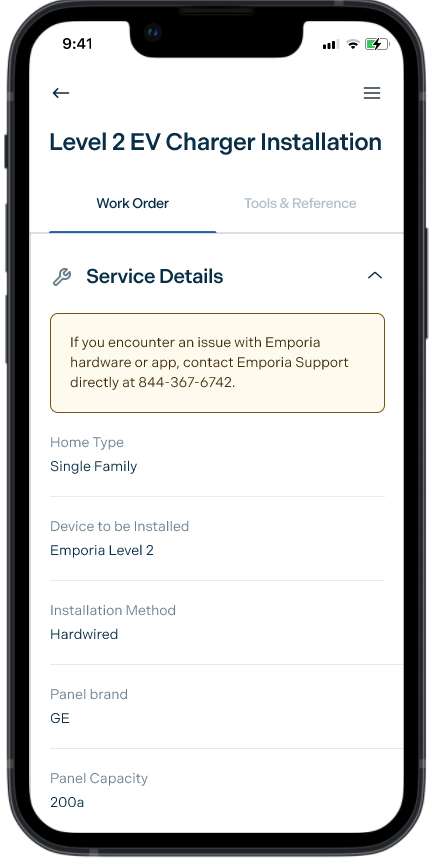
You can find all of the information you need via the HelloTech app.
If there’s anything you are missing and can’t find via the HelloTech app, contact HelloTech support: (800) 371-4805
Day of Quote Appointment
Expectations
On the day of the appointment, you are expected to:
- Arrive and start the job on time
- Document and communicate all information via the HelloTech app
- Submit the required information through the app to create a quote
- Walk the customer through the quote
- Send the quote to the customer using the tech app
Heading to the job
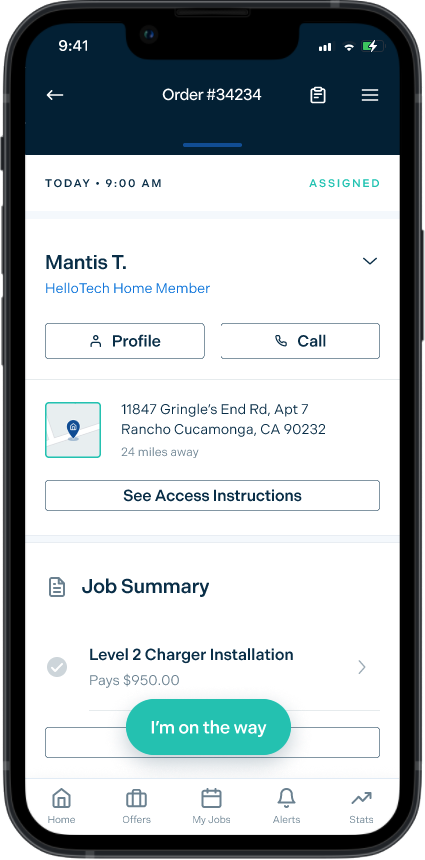
- Open the job in the tech app
- Press “I’m on the Way” when heading to the location
- The customer will be notified of your ETA
Starting the Job
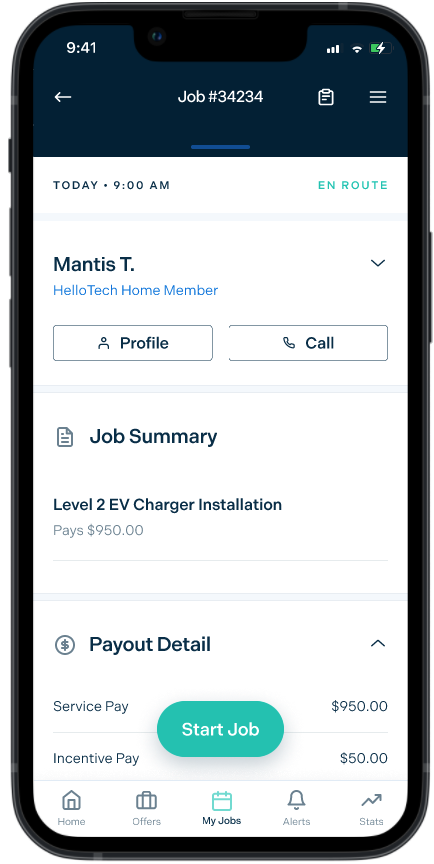
- Open the job in the tech app
- Press “I’m on the way” when heading to the location
- Press “Start Job” upon arrival
Creating the Quote
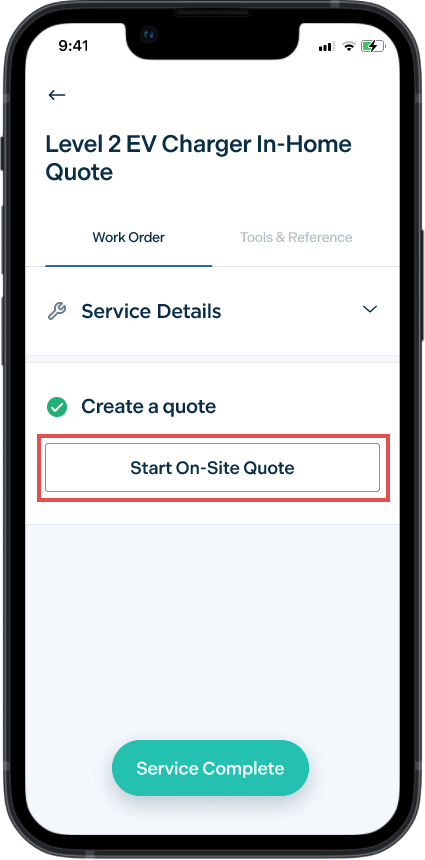
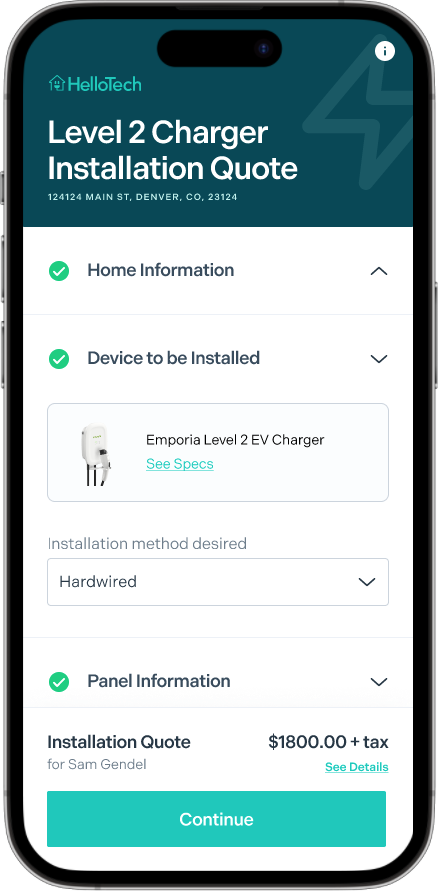
- Open the Level 2 charger quote service
- Access the quote builder tool by tapping “Start On-Site Quote”
- Discuss the ideal charger location and installation plan
- Assess the electrical panel, location, and distance
- Check site accessibility and wall structure
- Evaluate cable routing possibilities and charging cable reach
- Confirm electrical panel capacity
- Complete the worksheet
- If additional work is identified and not covered in the worksheet, refer to the “Accounting for Custom Work” section below.
- Preview the quote at anytime by pressing “See details”
- Bring up the final quote by pressing “Continue”
- Walk the customer through the quote, including any dealer credits or deposits that have already been applied
- Send the quote to the customer and let them know they can book at their convenience via the email or SMS link provided
- The job closes automatically once the quote has been sent
- Return to the tech app at your convenience and fill out the job log
Accounting for custom work
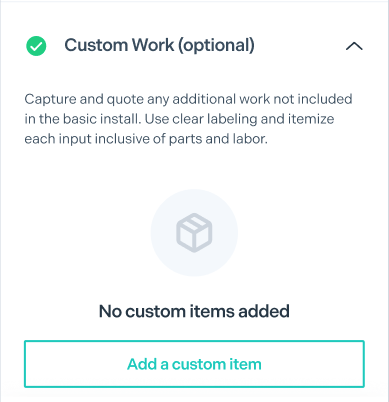
At the bottom of the quote form, there’s a section to add custom work. Tap “Add custom Work” to add a line item.
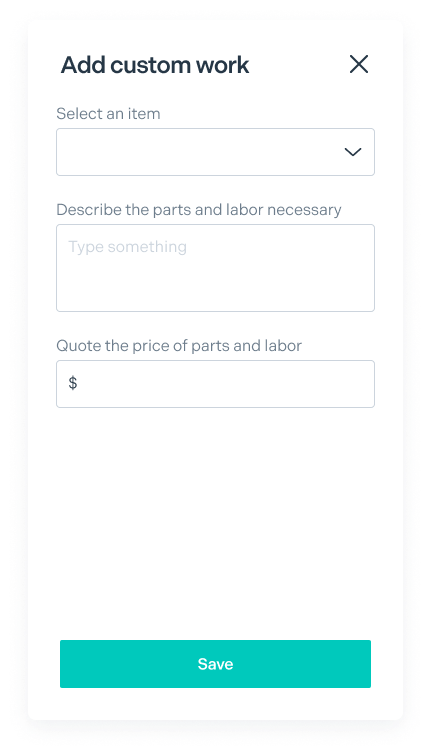
Clearly itemize any work required to complete the installation, and provide pricing inclusive of parts and labor. Price using your best judgment or your company’s pricing sheet if you have one.
What should be quoted as custom work?
Our basic installation service has streamlined pricing that will cover many installation scenarios. However, we know every scenario is unique.
To account for complexities discovered while on-site, you have the ability to add custom line items to the quote.
Included in basic service
- Installation of 1 wall-mounted EV charger
- Wiring to the charger from the main panel up to 10′
- Additional wiring length is automatically priced incrementally, do not add it as custom work
- The appropriate breaker for the charger
- Hardwired or NEMA receptacle installation
- Configuration of the charger via the manufacturer’s app
- Permits and inspections where applicable
Add as custom work
- Modifications to the main panel
- Replacement or upgrade of the main panel
- Pedestal mounting
- Adding a load management device
- Concrete work
- Wiring over 150′
